Home Automation and Security in India: What Actually Works
Practical security automation for Indian homes, from video entry and staff access to lighting, CCTV integration, and reliable manual fallbacks.
Home Automation and Security in India: What Actually Works
A camera system records pictures. A lock controls a door. A motion sensor detects movement. Home automation becomes useful when it helps these separate systems produce a sensible response, and when that response does not create a new security problem.
The distinction matters because "smart security" is often sold as a wall-mounted screen full of icons. The screen looks impressive. It says nothing about whether the camera can identify a face at the gate after sunset, whether the lock aligns during a humid monsoon week, or whether household staff have individual credentials that can be withdrawn without changing everyone else's access.
This article focuses on those practical details. For the larger system context, start with our home automation guide for India. Security automation should be one layer in a home plan, not a pile of internet-connected gadgets bought after the carpenter has finished the door.
Begin with threats and routines
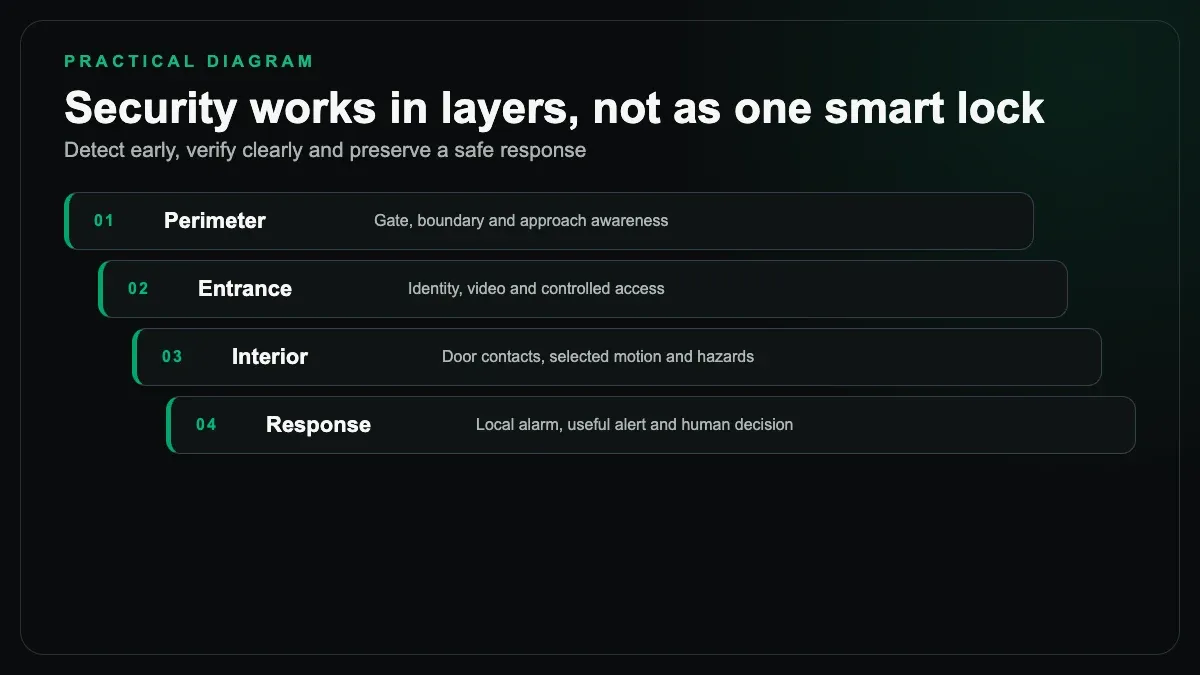
Before selecting equipment, write down how the property is used. A Jaipur apartment with a staffed lobby has a different edge from a detached house with a front gate, side passage, terrace and servant entrance. A multigenerational family has different access needs from a couple that travels frequently.
Map the real events. Couriers arrive. Domestic staff come on working days. A driver needs gate access but not entry to the main house. Children return at variable times. Relatives stay for a week. Power and internet sometimes fail. A security design should handle these ordinary cases without encouraging credential sharing or leaving doors propped open.
Then map the physical weak points. Lighting, sight lines, door construction, boundary access and window hardware matter before automation. A premium smart lock cannot strengthen a poor frame. A high-resolution camera cannot see through a bougainvillea branch or recover detail from severe backlighting by wishful thinking.
Video at the entrance: design for recognition
A video doorbell or gate station is useful when it lets a resident identify and speak to a visitor before granting access. The camera position should capture a face, not the top of a head. Test it in morning sun, afternoon glare and darkness. At Jaipur gates, dust, heat and direct sun deserve as much attention as the app.
Doorbells mounted too low for children or too high for older visitors create poor framing. A unit placed on a side wall may show a shoulder while the person's face remains outside the useful view. During construction, make a temporary mounting mock-up and review the live image before stonework fixes the position.
Network and power routes should be planned. A wireless doorbell at a metal gate or behind thick stone may have a weak link even when a phone shows full Wi-Fi inside the house. A wired data connection, where the equipment supports it, removes one variable. Provide a weather-suitable enclosure and a service route. Do not bury the only connector behind sealed cladding.
Decide where calls ring. One indoor monitor may be insufficient in a large home, while ringing every phone for every visitor becomes noise. A useful system can route events to defined residents, keep a local answering point and record according to the household's policy and applicable requirements.
Access control must match the door
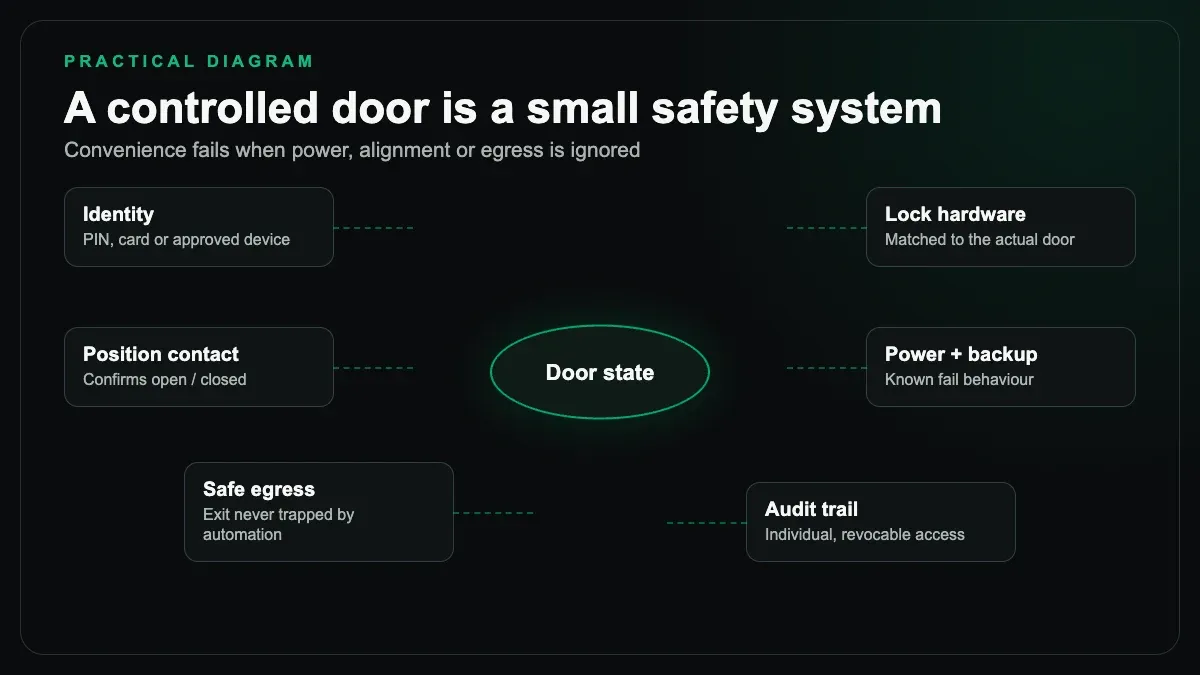
Smart locks receive attention because they are visible. The unglamorous door details decide whether they work.
Check door thickness, material, handing, frame alignment, latch type and exposure. Solid timber, metal and glass doors need different hardware. A door that swells or shifts during monsoon humidity can put load on a motorised bolt. Users then push, pull and retry until the mechanism opens. Fix the alignment rather than blaming the software.
Every controlled entry needs a safe exit and a plan for power loss. Battery-powered locks need a battery replacement routine and a clear low-battery response. Wired strikes or magnetic locks need suitable power supplies, release logic and backup decisions. Fire and life-safety requirements are not optional automation settings. Engage the relevant qualified professionals for the project.
Keep a mechanical or otherwise documented emergency method where the door system provides one. Store it sensibly. Do not discover the fallback during a failed battery at midnight.
Staff access is the India-specific test
Many Indian homes have recurring access by domestic workers, cooks, drivers, cleaners or caregivers. This is where electronic credentials can be genuinely useful.
Give each person an individual credential. That might be a code, card, tag or another method supported by the selected system. Avoid one household PIN known by residents, workers and vendors. Individual credentials can be disabled without inconveniencing everyone else, and the event log remains interpretable.
Schedules should reflect reality without becoming punitive. If the cook normally arrives in a broad morning window, do not set an exact minute that forces repeated calls from the gate. Allow sensible exceptions through a resident approval process. Remove access promptly when a working arrangement ends.
Be careful with biometric systems. Reliability, consent, data handling and fallback all deserve scrutiny. A product demonstration in an air-conditioned showroom does not prove performance at a dusty outdoor gate. For many homes, a managed code or tag is simpler to explain and replace.
Event notifications should be selective. A useful alert might report an entry outside an expected window. A phone buzzing on every normal arrival trains the family to ignore it. Alarm fatigue is a design failure.
Motion-triggered lighting works when zones are clear
Lighting can reduce dark approaches and make movement visible. It is not a substitute for locks, boundaries or attentive residents.
Define small zones. A sensor at the pedestrian gate can raise the gate light and the immediate path light after dark. A side-passage sensor can illuminate that passage. Flooding the entire facade whenever a dog crosses the driveway annoys the household and neighbours, and soon somebody disables the scene.
Sensor selection and placement matter. Jaipur's outdoor heat, insects, moving vegetation and street activity can produce unwanted triggers depending on the technology and view. Aim sensors away from public movement where possible. Adjust the detection area during a night test, not only at noon.
Keep the manual switch meaningful. Residents should be able to hold lights on for an event, switch them off when appropriate, and understand how automation resumes. The security logic should also know the difference between daytime and darkness rather than running lights unnecessarily.
CCTV integration: one interface is not the main goal
Bringing camera views onto a central touch panel or television can be convenient. Showing the front gate automatically when the bell rings is a reasonable integration. Sending a defined camera image to a resident after a verified event can also help.
Do not judge CCTV by whether thumbnails appear in the automation app. Judge it by recorded image quality, useful angles, retention needs, time accuracy, night performance, export process and system health. The recorder and cameras should continue their core job if the home automation controller is offline.
Keep camera recording on a security-oriented system designed for it. Let automation consume supported streams or events without becoming the only recording path. Segment networks appropriately with professional input, change default credentials and manage remote access deliberately. Exposing a recorder to the internet through careless port forwarding is not an integration strategy.
Test retrieval. Pick a past time, find the relevant camera and export the clip. If only the installer knows how, handover is incomplete.
Alarm integration should preserve the alarm
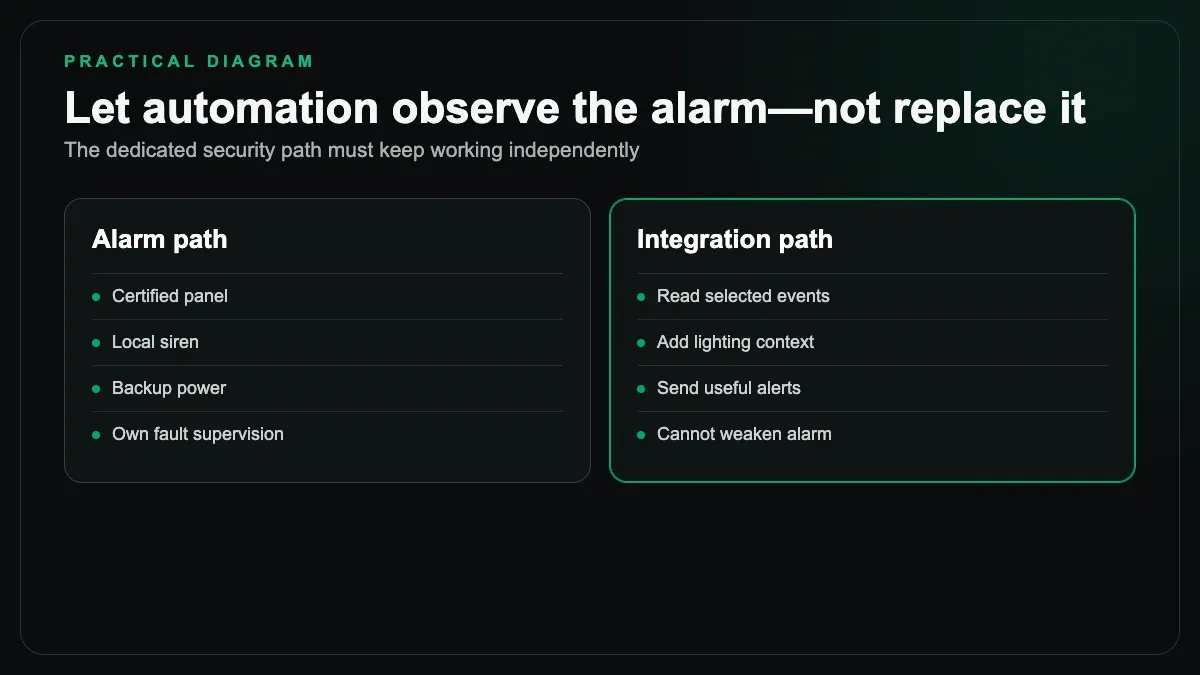
A dedicated intrusion alarm uses door contacts, detectors, keypads, sirens and supervised zones for a specific purpose. Integration can expose arm state, provide selected events or coordinate lighting, provided the alarm equipment supports a proper interface.
The automation platform should not weaken supervision or replace critical alarm logic with a casual cloud routine. If a zone triggers, the alarm panel should perform its configured local response even if broadband is down. Automation may then turn on defined lights or present cameras, but those additions sit around the alarm, not inside its vital path.
The same principle applies to smoke, gas and life-safety devices. Use approved equipment for the relevant purpose and follow installation rules. A generic smart sensor with an attractive app is not automatically suitable.
Avoid over-engineering
Do not make doors open automatically because a phone is nearby. Bluetooth and geolocation are useful context signals, but proximity around apartments and closely spaced Jaipur plots can be ambiguous. Use them to prepare a scene or notify the resident, not to remove the deliberate act of granting entry.
Do not install facial recognition merely because a recorder menu includes it. Ask what decision it will drive, how errors are handled, where data is stored and whether the household actually needs it. Often, clear video plus individual access credentials solves the practical problem with less complexity.
Do not connect every camera, lock and alarm directly to unrelated cloud accounts without recording ownership, recovery details and subscription implications. Handover should include account control, device list, network diagram, backup method and instructions for removing a former user's access.
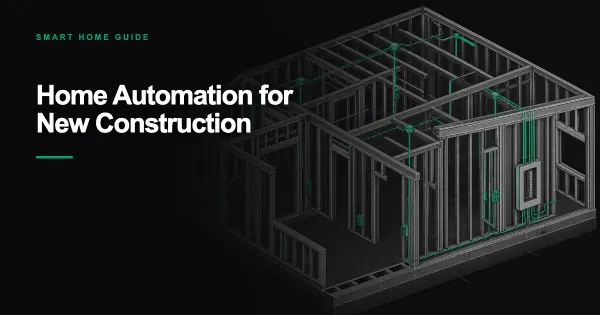
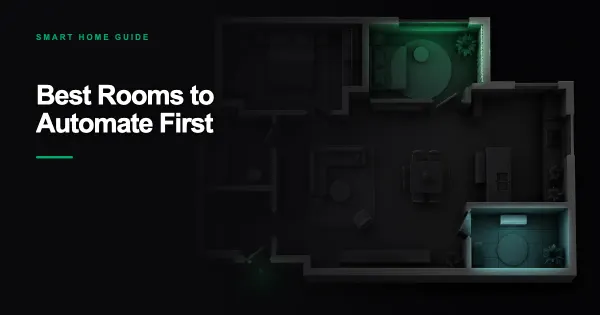
If this is part of a phased project, the entrance is often one of the best areas to automate first. For a house still being built, route power, data and door-control cabling while access is easy. Our new-construction automation checklist explains what to settle before walls and ceilings close. SmartR Spaces also provides home automation planning and integration for projects that need these systems coordinated from the start.
What good security automation feels like
It is quiet on normal days. Staff use their own credentials. The gate view is clear. Approach lights come on only where needed. Residents can answer visitors without surrendering control. Cameras record independently. Manual operation remains obvious.
When something unusual happens, the system presents useful information instead of a flood of alerts. When power or internet fails, the household understands what still works. When a worker leaves, one credential is removed. No shared password crisis follows.
That is a better standard than a screen full of devices marked online. Security begins with the property, doors and routines. Automation should make those layers easier to manage and harder to forget.