Wi-Fi vs Zigbee vs Z-Wave for Indian Smart Homes
Wi-Fi vs Zigbee vs Z-Wave for Indian smart homes, compared on reliability, local control, wall penetration, device choice, and long-term service.
Wi-Fi vs Zigbee vs Z-Wave for Indian Smart Homes
The protocol sticker on a smart switch is not a quality certificate. Wi-Fi, Zigbee, and Z-Wave can all produce a reliable home. They can all produce a frustrating one too.
The result depends on network design, device quality, local control, installation, and the building itself. A protocol that behaves perfectly in a two-bedroom apartment may struggle in a Jaipur villa with stone cladding, reinforced floors, outdoor gates, and a router hidden in a wooden cabinet. A technically elegant mesh can still fail if the installer places every routing device on one side of the house.
So the useful question is not "Which protocol is best?" It is "Which protocol fits this load, this room, this failure expectation, and this service plan?"
If the terminology is new, read our complete home automation guide for India first. Then come back to the radio argument.
Begin with what must work when the internet is down
Before comparing range or device prices, decide which functions are allowed to depend on an external server.
A physical light switch should work without internet. So should a basic bedtime scene, door sensor alert inside the house, and scheduled garden-light control. Remote phone access obviously needs connectivity outside the home, but local control does not have to.
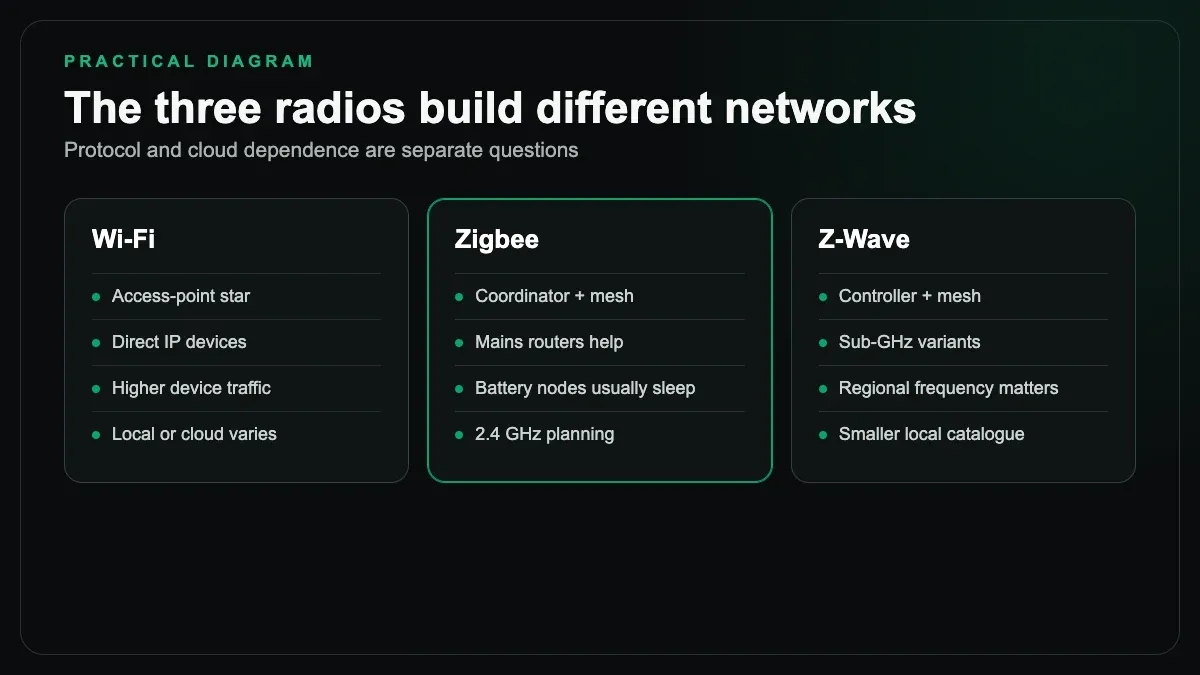
Protocol and platform are different layers. A Wi-Fi device may offer a documented local interface and continue working through a local controller. Another Wi-Fi device may send every command through its manufacturer's cloud. A Zigbee device talks locally to a coordinator, but the coordinator's app may still depend on a cloud account. Z-Wave is local at the radio layer, while the controller decides how automations and remote access are handled.
Ask the integrator to demonstrate internet failure. Do not accept a diagram.
Unplug the WAN connection, leave the local network running, and test the important functions. The answer becomes obvious in five minutes.
Wi-Fi: useful, familiar, and easy to overload
Wi-Fi smart devices connect to the same broad network family used by phones, televisions, and laptops. That makes entry easy. A plug, camera, or infrared AC controller can join the existing router without a separate radio coordinator.
For a small setup, this is practical. A few smart plugs, two AC controllers, and a video doorbell do not automatically justify another protocol. Product choice is broad, and replacement hardware is usually easy to find.
The trouble begins when "no hub required" is mistaken for "no infrastructure required."
Every device still needs an address, authentication, radio coverage, and a dependable access point. Many low-cost smart devices use the 2.4 GHz band. So do older phones, cameras, and plenty of household equipment. A builder-supplied router serving dozens of clients from one corner of a large apartment is not a home automation network.
Wi-Fi is also a poor excuse for cloud-only design. If the vendor closes a service, changes an app, or stops updating an inexpensive switch, the hardware inside the wall may become difficult to manage. Product selection matters more than the Wi-Fi logo.
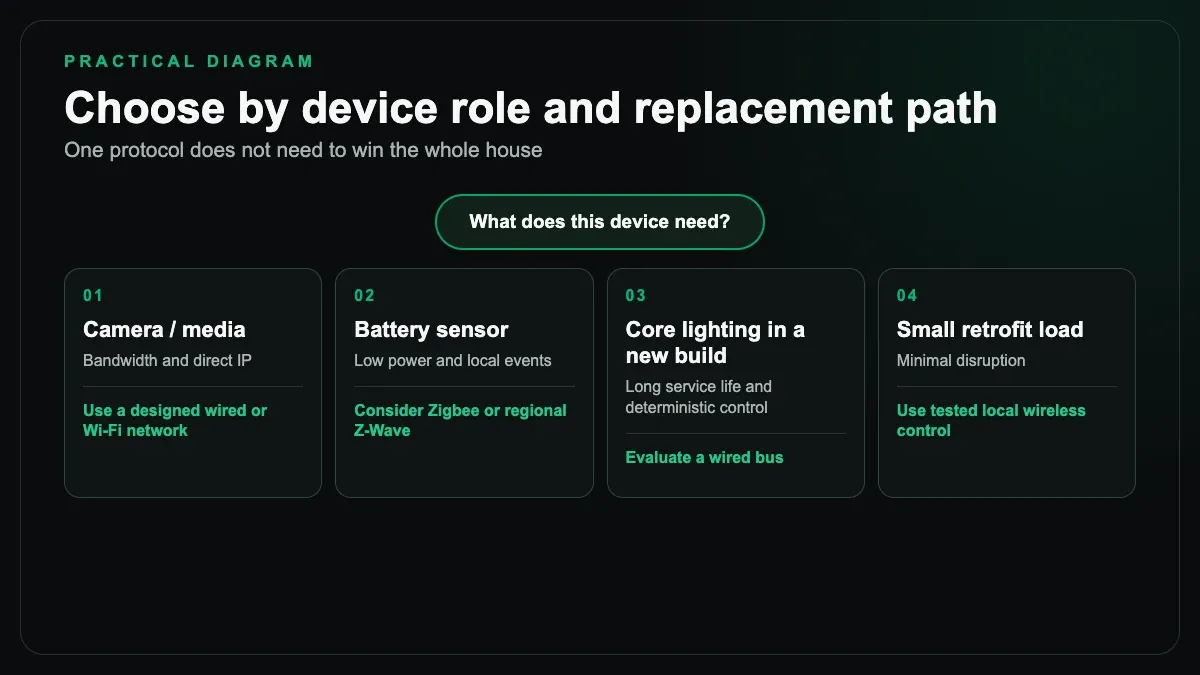
Use Wi-Fi where bandwidth or direct IP connectivity helps, such as cameras and selected media devices. It can also work well for small control systems when local behaviour and update policy are understood.
Zigbee: a mesh that needs deliberate construction
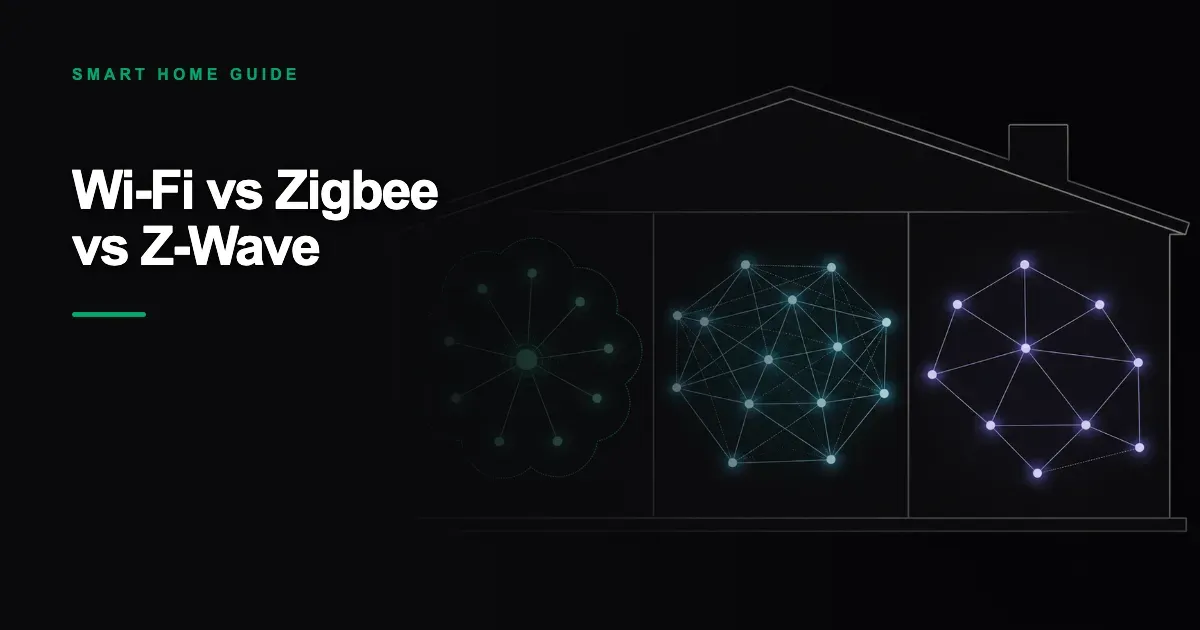
Zigbee is a low-power mesh protocol. Mains-powered devices can usually relay messages, while battery devices such as door sensors sleep to preserve energy. A coordinator connects the Zigbee network to the automation controller.
The mesh is the attraction. It is also the part people oversimplify.
A large collection of battery sensors does not necessarily strengthen the network because sleepy devices usually do not route traffic. You need well-placed mains-powered routers. If every relay sits inside a metal box, the radio environment changes again. If the coordinator is attached directly to a noisy computer or buried inside a rack, reception can suffer. USB extension placement, channel planning, and a few sensible routing locations often matter more than the coordinator's marketing range.
Zigbee shares the 2.4 GHz neighbourhood with Wi-Fi. That does not make it unreliable. It means channels should be planned. A competent installer checks the local Wi-Fi environment and avoids piling strong access-point traffic on top of the chosen Zigbee channel.
Device compatibility also deserves attention. "Zigbee" does not guarantee that every feature of every device appears correctly in every coordinator. Common switches and sensors may work easily, while a special thermostat or multi-gang panel exposes vendor-specific behaviour. Test the actual model and firmware before buying fifty units.
For medium and larger retrofits, Zigbee can be a very good backbone for sensors and ordinary controls. It offers local response, low battery consumption, and a broad device market. It rewards careful commissioning.
Z-Wave: controlled ecosystem, smaller local shelf
Z-Wave also uses mesh networking, usually in a sub-GHz band rather than the crowded 2.4 GHz band. Lower-frequency radio can behave better through some walls, and the certification model aims for consistent interoperability.
That makes Z-Wave attractive for locks, door sensors, and other devices where predictability matters.
India complicates the buying decision. Frequency variants differ by region. An imported product built for another market may be illegal, incompatible, or simply unable to join the local controller. Availability is narrower than Wi-Fi or Zigbee in many Indian channels, and replacements can take longer to source.
Check the exact regional frequency of the controller and every device. Check local stock, warranty handling, and what an equivalent replacement would be three years later. Do this before the wall panels are selected around a specific module.
Z-Wave can be excellent in a premium retrofit, particularly when the required device set is available through a committed integrator. It is not automatically the sensible default for every Indian apartment.
Jaipur walls do not read protocol brochures
Radio performance is a building question.
Thick stone, reinforced concrete, lift shafts, metal switch boxes, mirrored surfaces, and electrical panels all affect signals. A farmhouse gate can be far beyond the comfortable reach of an indoor mesh. A room above the garage may sit behind two slabs and a wall lined with wardrobes. None of that appears in a range number measured in open air.
The right method is unexciting: survey, place, test, and adjust.
For Wi-Fi, that may mean wired access points rather than a consumer "extender". For Zigbee, it may mean moving the coordinator and adding a known routing device in the corridor. For Z-Wave, it may mean placing mains-powered nodes so the route does not rely on one distant hop.
Also test after furniture and doors are in place. An empty construction site is not the final radio environment.
If you are retrofitting a finished home, our retrofit home automation guide explains the wiring and box survey that should happen alongside this network test.
Security is not settled by protocol choice
A local mesh is not secure merely because it is local. A Wi-Fi product is not insecure merely because it uses IP.
Security depends on onboarding, encryption implementation, firmware maintenance, account protection, network segmentation, and access control. Default passwords and shared installer accounts are obvious failures. So is giving every contractor permanent administrator access.
Ask who owns the coordinator. Ask where backups live. Ask how a lost phone is removed, whether remote access uses multi-factor authentication, and how firmware updates are evaluated. Put cameras and untrusted consumer devices on an appropriate network segment. Keep the automation controller and network equipment on backup power if security functions depend on them.
For the India-specific access questions, including household staff and temporary visitors, see our guide to home automation and security in India.
What Matter changes, and what it does not
Matter is an application standard intended to improve interoperability across major smart-home ecosystems. Matter devices can communicate over technologies including Wi-Fi and Thread. It can reduce some ecosystem friction, especially for consumer products.
It does not abolish network design.
A Matter-over-Wi-Fi device still uses Wi-Fi. A Matter-over-Thread device still needs a Thread border router. Product features may differ between platforms, and commissioning several ecosystems can create confusing ownership. Firmware quality, electrical safety, radio placement, and local service remain real concerns.
Treat Matter support as a useful compatibility attribute, not a reason to buy an untested product. Confirm the exact functions exposed in the controller you intend to use.
A practical protocol mix by device type
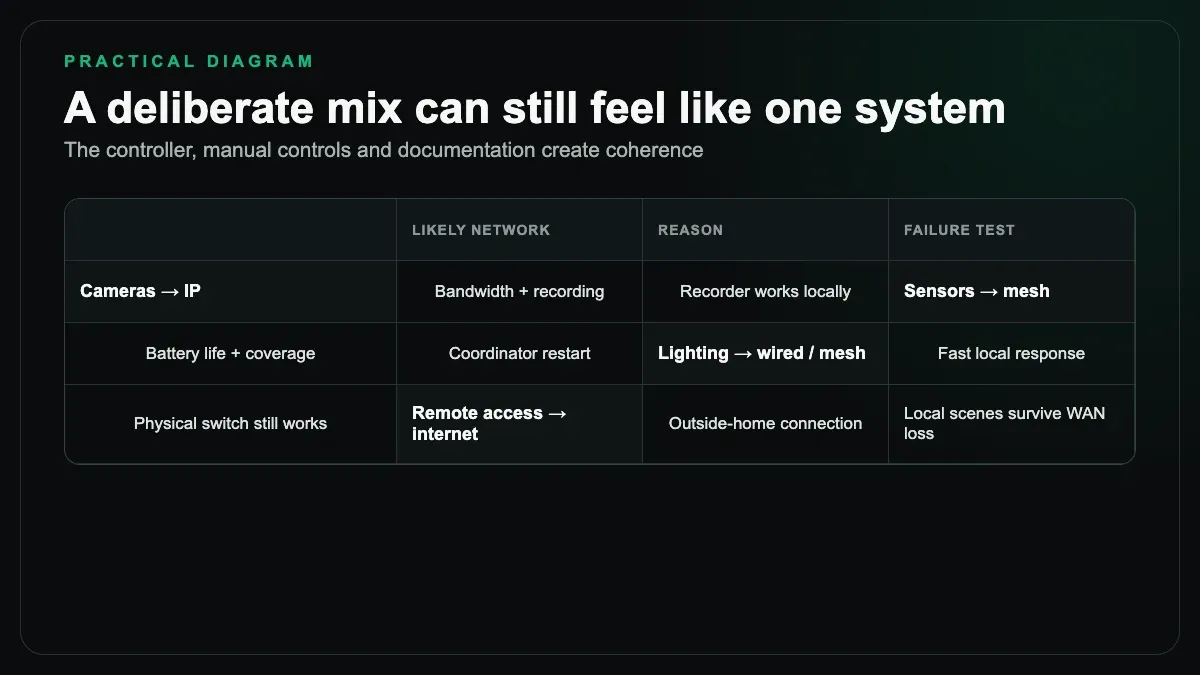
One protocol does not need to win the entire house.
Professional camera systems already use IP networking. Televisions and AV receivers belong on the network too. Battery door sensors may suit Zigbee or Z-Wave. Core lighting in a new build may use KNX, while wireless sensors add flexibility. Split AC control might use a wired brand gateway in one project and infrared controllers in another.
A mixed system is acceptable when one documented controller presents the functions coherently and local manual control remains available. It becomes a mess when every room needs a different vendor app and nobody holds the administrator credentials.
For open-wall projects, read KNX wired home automation explained before assuming that wireless is automatically cheaper over the life of the house.
Our selection checklist
We use a short set of questions before choosing a protocol:
- Must this function work without internet?
- Is the device battery-powered or mains-powered?
- What walls and distances sit between it and the controller?
- Is two-way status feedback required?
- Is the product available in the correct Indian electrical and radio variant?
- Can an equivalent replacement be sourced locally?
- Does the controller expose the full device feature set?
- Who maintains firmware and configuration backups?
- What happens after a power cut?
- Can the family still operate the load physically?
The answers often point to a mix.
A small apartment with ten controlled loads may use local Wi-Fi devices without trouble. A larger retrofit may use Zigbee for switches and sensors, IP for cameras, and a separate integration for ACs. A new villa may put core lighting and HVAC on a wired bus, then use wireless devices where cable adds little value.
The SmartR Spaces home automation team designs around the building and the household rather than forcing one protocol into every room.
The short answer, after the long one
Choose Wi-Fi for selected IP-friendly devices and small systems where the local-control behaviour is known. Choose Zigbee for a broad retrofit mesh when you can place routers and coordinate channels properly. Choose Z-Wave when the device set, regional frequency, and replacement path are clear, especially for security-focused functions.
Choose none of them by logo alone.
The reliable smart home is the one whose network was designed, whose failure modes were tested, and whose owner received the credentials and documentation. Protocol is part of that answer. It is not the whole answer.